

The screenshot tool for Windows that doesn’t fight you.
The fast, native screenshot tool for Windows. Capture any region, window, scrolling page or text on screen, mark it up right in the selection before you ever let go, and drag the finished shot straight into Slack, Figma or an email.
- No cloud
- No telemetry
- No analytics
- Nothing leaves your machine
- Completely native · under 25 MB
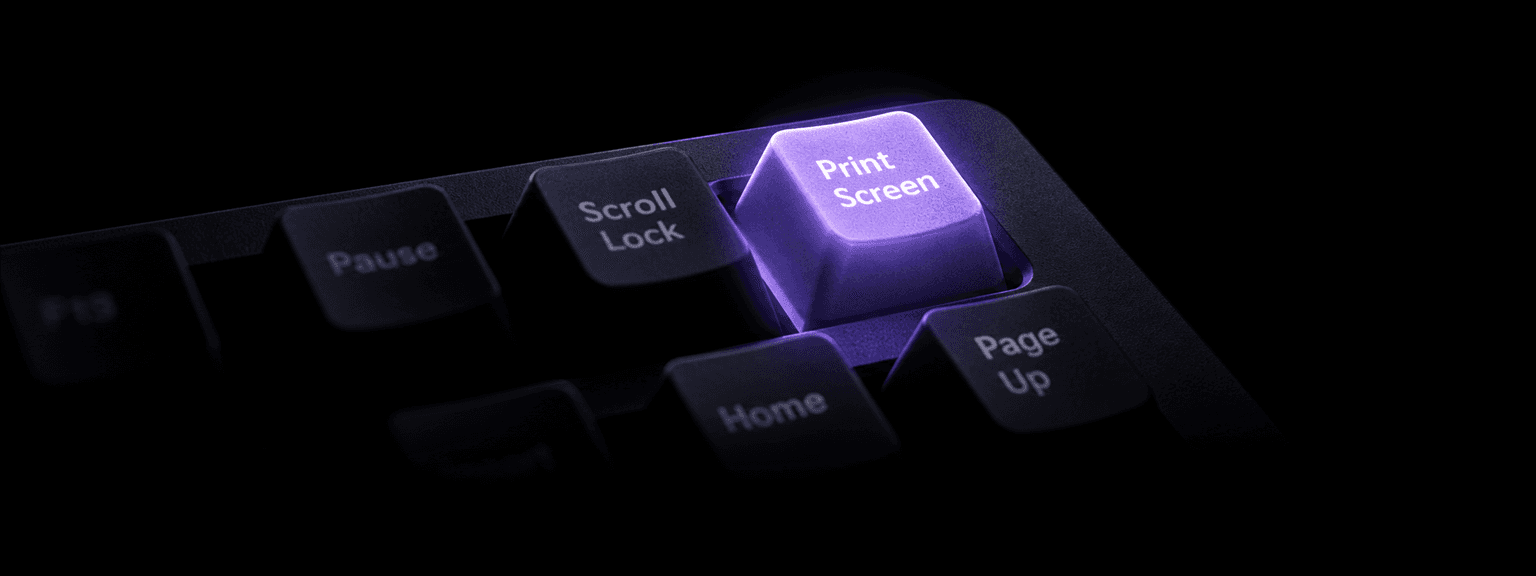
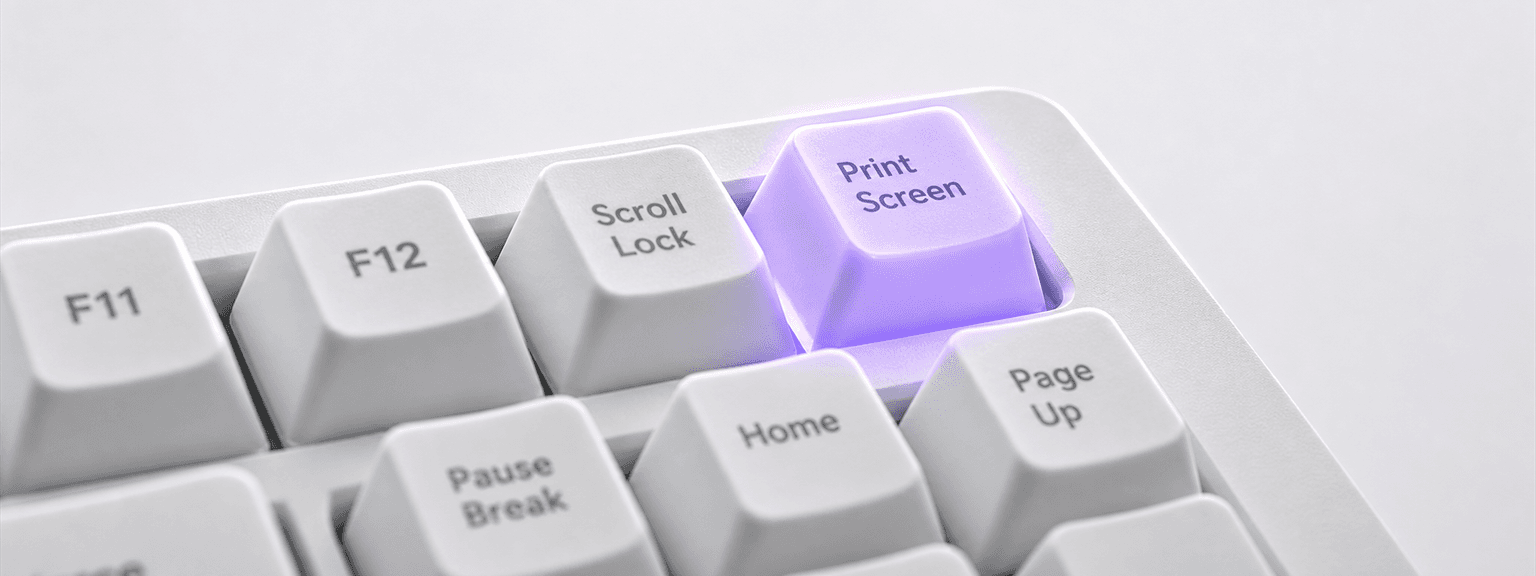
Built for the people who screenshot all day
- Developers
- Designers
- Technical writers
- Product managers
- QA engineers
- Support teams
- Content creators
- Streamers
- Educators
- CleanShot X users on Windows
Capture. Mark up. Ship it.
Press the shortcut, shape the shot, and it's already on your clipboard, saved, and waiting in a floating thumbnail.
- 1Capture
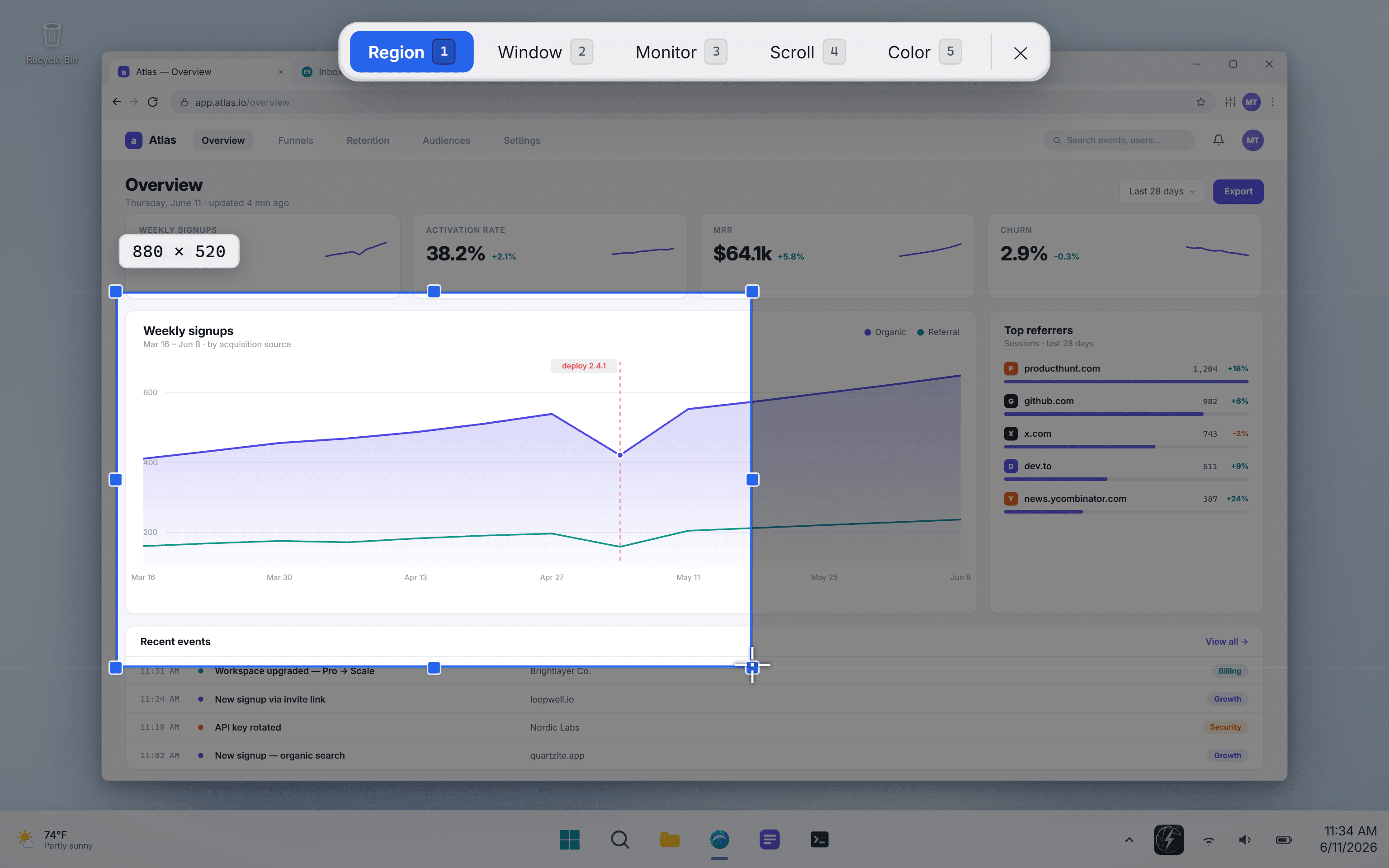
Press the shortcut. Pick your shot.
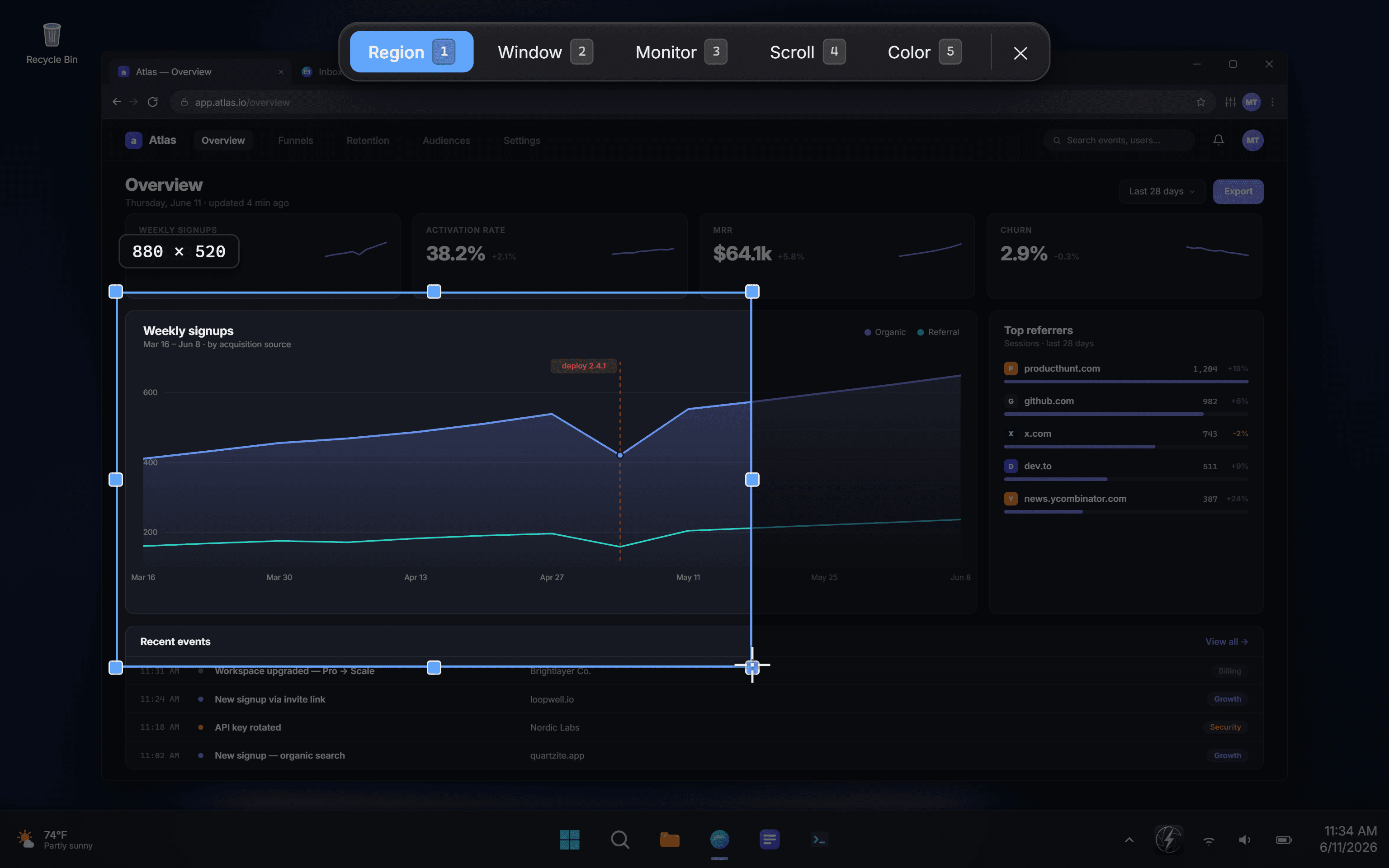
Region, window, fullscreen, a scrolling page or text off the screen, all picked from one overlay while everything behind it keeps running.
- 2Mark up
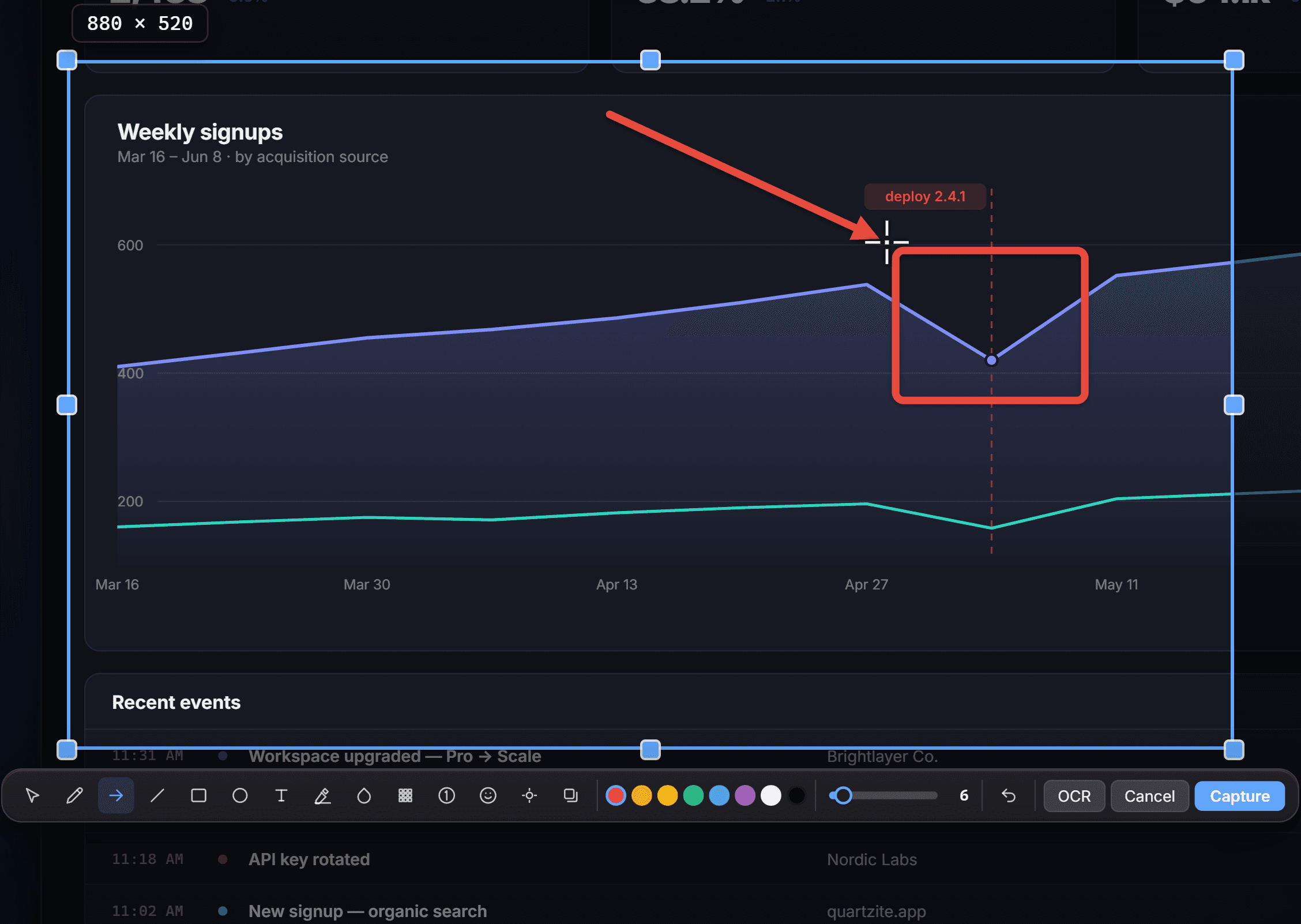
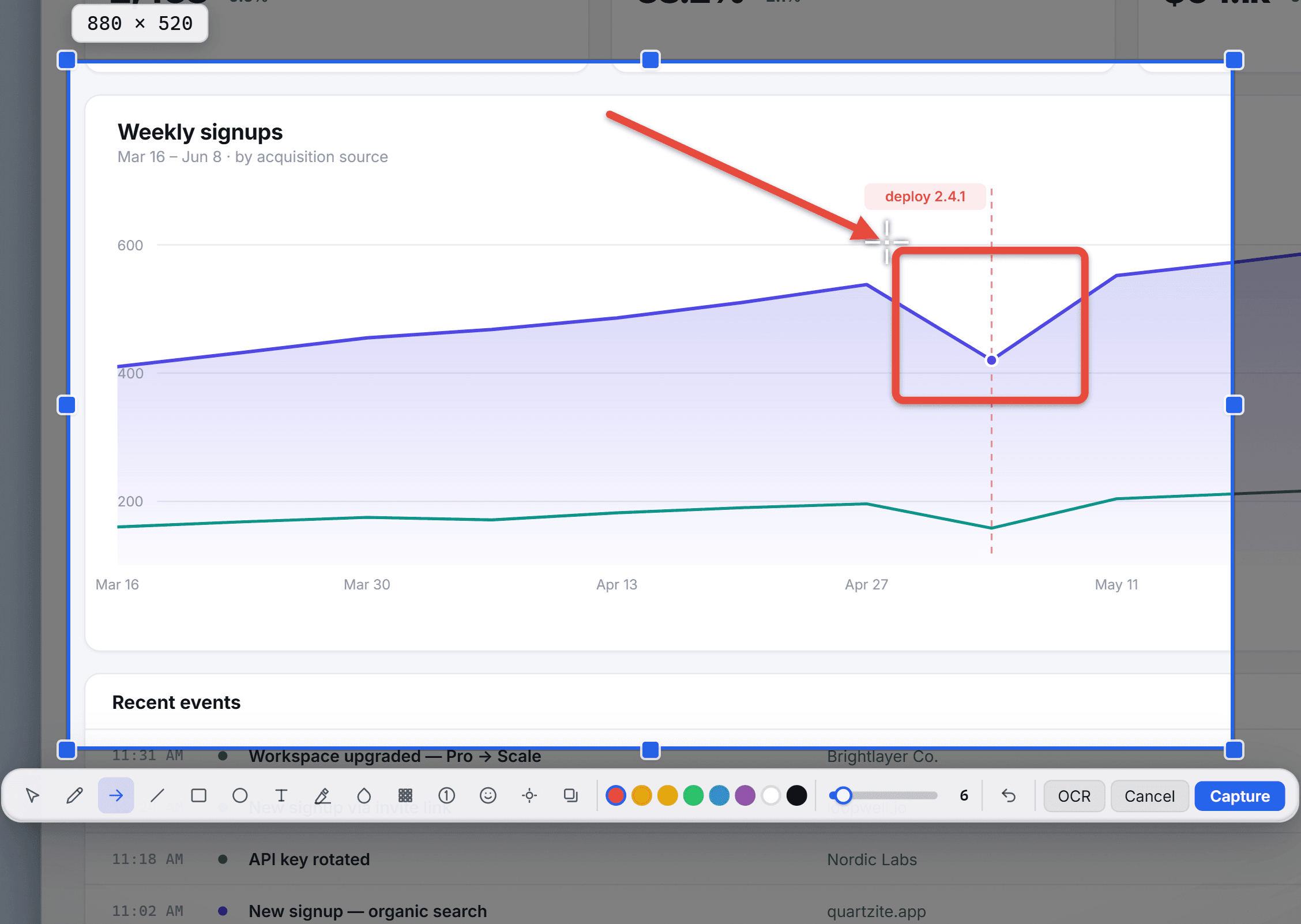
Annotate right inside the selection.
Fourteen tools in the overlay itself: arrows, boxes, text, numbered steps, highlight, plus live blur to hide anything sensitive.
- 3Ship it
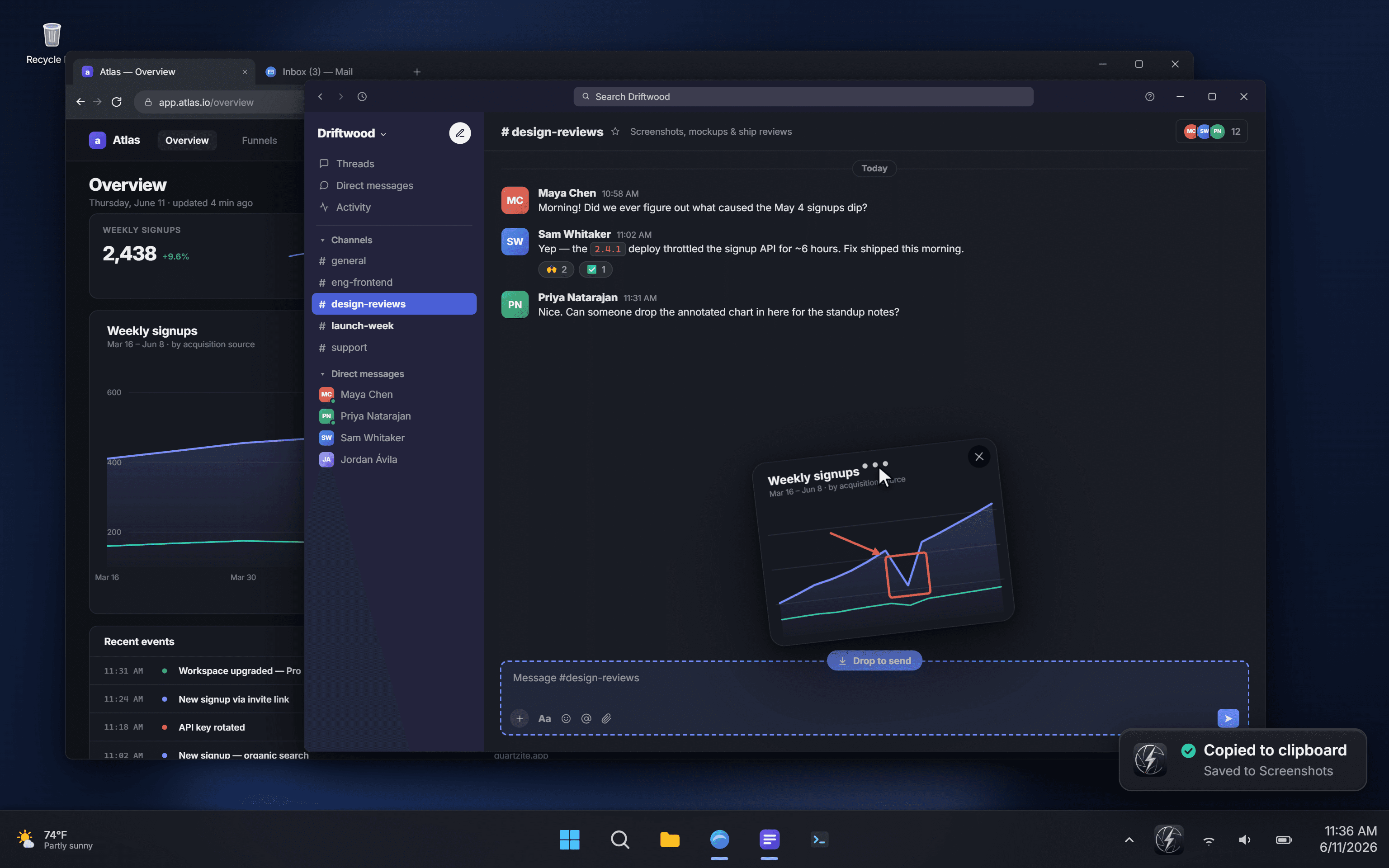
Copied, saved, and ready to drag.
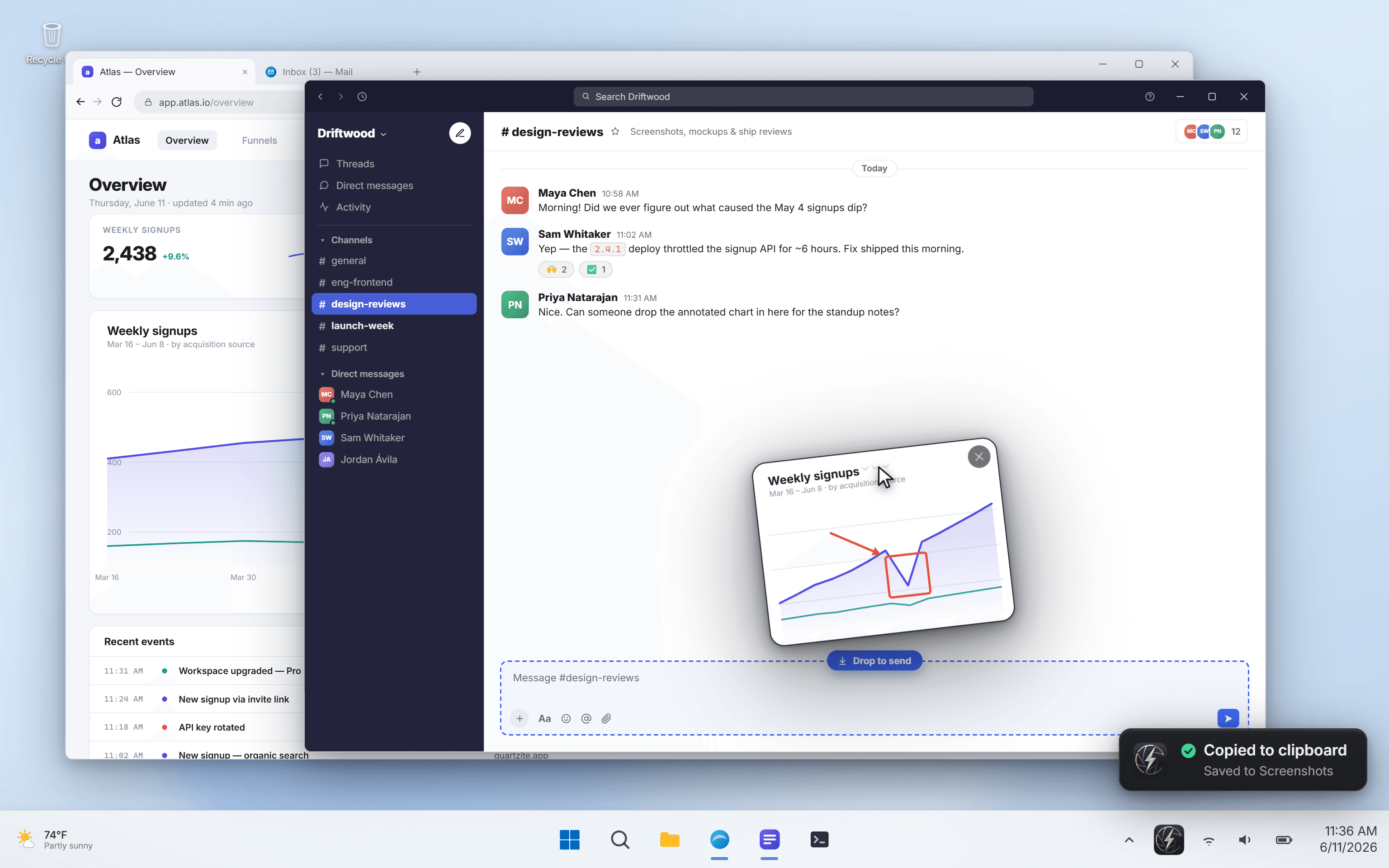
On your clipboard, written to disk, and floating as a thumbnail you can drag straight into Slack, Figma or an email.
Fourteen tools to mark up with, right in the overlay
Five ways to capture, one shortcut to start.
Region, window, fullscreen, a scrolling page, or text grabbed off the screen: all from one overlay, all ending copied and saved.
Region
Drag to select. Nudge the edges before you commit, or just let go.
- Magnifier and exact pixel readout while you drag
- Spans across multiple monitors
- Re-open the last region in one keypress
Window
Hover to highlight the window you want, click to grab it.
- Picks the real window under the cursor, not the one behind it
- Optional shadow and rounded corners
- Works on any monitor, any DPI
Fullscreen
One monitor, the active one, or every monitor stitched together.
- Click a monitor outline to choose
- One key for all displays at once
- Tested on dual-4K and ultrawide setups
Scrolling
Auto-scrolls a long page or chat and stitches it into one tall image.
- Captures well past what fits on screen
- Keeps sticky headers and footers from repeating
- Seams blended so the joins don't show
Everything in one capture.
Grab a region, a window, a full screen, or an entire scrolling page, then copy, mark up, and share it without leaving your work.
The new release makes long pages effortless: start a scrolling capture and the whole article is stitched into one clean image as you go.
Nothing is uploaded: everything stays on your machine, ready the moment you finish.
Available today on Windows. Read the full changelog for every detail and download the latest build.
Everything in one capture.
Grab a region, a window, a full screen, or an entire scrolling page, then copy, mark up, and share it without leaving your work.
The new release makes long pages effortless: start a scrolling capture and the whole article is stitched into one clean image as you go.
Nothing is uploaded: everything stays on your machine, ready the moment you finish.
Available today on Windows. Read the full changelog for every detail and download the latest build.
Grab text
Lift text straight off the screen, from an image, a video, anywhere.
- Runs entirely on your machine, nothing leaves it
- Highlights the words it found as it goes
- Over a hundred languages, no setup
Finalize pricing and checkout
Ship the Windows installer
Open the changelog publicly
Brief the support team
Copied to the clipboardAuto-saved as PNG or JPGFloating drag-out thumbnailTrue-to-screen colour
What happens after you press the key.
Capturing is only half of it. QuipShot keeps every shot within reach: revisit your history, or float and pin thumbnails for later.
History
Every shot, one right-click away.
Your captures don't disappear into a folder you'll never open. Pull up your full history straight from the tray, then drag any past shot back out, into an email, a chat, or the editor to mark it up again.
Floating thumbnails
Park it now, finish it later.
Fresh captures float on your screen as thumbnails. Pin the ones you're not done with, tuck the whole stack away with a grab of the handle, and bring it all back the moment you're ready.
Small, quiet, and out of your way.
The kind of thing you forget is running until you need it, then it's instant. Here's what that's made of.
A real Windows app, not a web app in a box
A real Windows application, not a web page in a wrapper: under 25 MB installed, instant to launch, light on memory. No bundled browser, no background services, none of the bloat that comes with shipping a whole browser to take a screenshot.
True colour from your real screen
HDR monitors, high-DPI displays, games and GPU-drawn apps: cases that wash out or come back blank elsewhere. QuipShot grabs the colour you actually see, so it looks right wherever you paste.
Pixel-perfect across your monitors
Mixed-DPI, multi-monitor, ultrawide, dual-4K: captures come out at the real resolution, the right size, with no soft edges or scaling artefacts.
Yours, and only yours
No cloud, no telemetry, no analytics. Grab-text runs locally. Screenshots never leave your machine unless you send them somewhere.
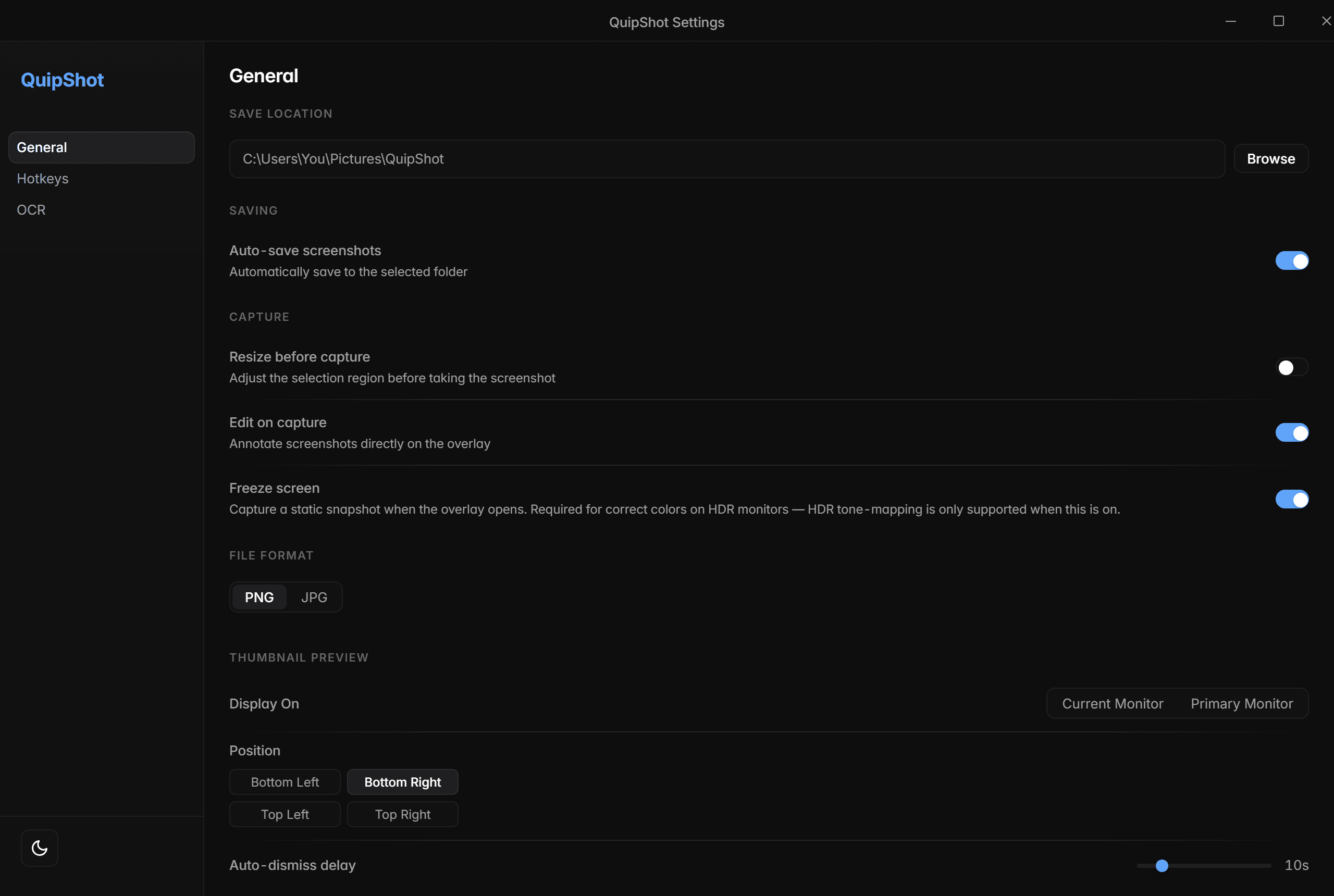
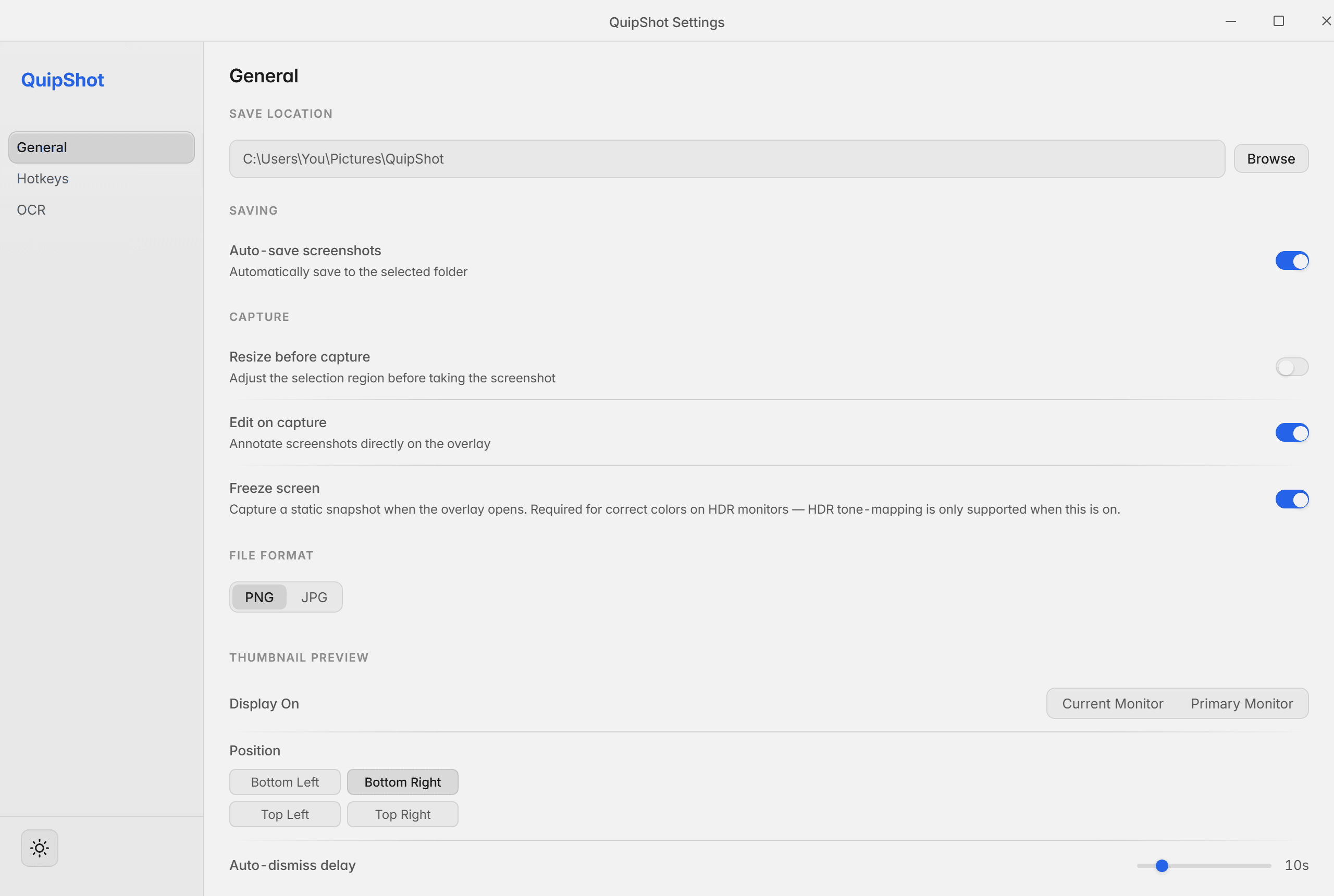
Every setting that matters, none that don’t, and it follows your system theme.
Most tools do some of this well. QuipShot is the one that does all of it.
Snipping Tool, ShareX, Snagit, CleanShot X: each is good at part of this. QuipShot is where the parts overlap, on Windows.
Swipe the table sideways to compare →
| Feature | QuipShot Windows · native | Snipping Tool Windows · built-in | ShareX Windows · free | Snagit Windows / Mac · paid | CleanShot X macOS only |
|---|---|---|---|---|---|
| Drag the finished shot straight into any app | |||||
| True colour from HDR & high-DPI displays | |||||
| Reliable on games, video & GPU-drawn apps | |||||
| Annotate inside the selection, before you let go | |||||
| Scrolling capture with blended seams | |||||
| Grab text off the screen, on-device | |||||
| Native & small, no bundled browser | |||||
| No cloud: shots never leave your PC | |||||
| Runs on Windows |
full support partial / with caveats not supportedComparison reflects typical out-of-the-box behaviour, May 2026.
Want a head-to-head breakdown? See QuipShot vs each tool, side by side.
$20 a month. One tier. Everything in it.
No free tier, no trial, no upsells. We'd rather make one tool that does everything well than three that each leave something out.
QuipShot
One flat tierEvery feature included. No free tier, no trial, no upsells.
Secure checkout with Stripe. Your first week is the trial. If QuipShot isn't for you, tell us within 7 days and we refund the full $20. Cancel anytime.
- 5 capture modes: region, window, fullscreen, scrolling & grab-text
- Under 25 MB and instant: no bundled browser, no background services
- True colour: HDR-aware, games & video, no washed-out blacks
- 14 annotation tools inside the overlay, plus a full editor
- Auto-copy, auto-save & a drag-out thumbnail
- Grab text off the screen: 100+ languages, on-device
- Global hotkeys, light/dark, multi-monitor & high-DPI
- One subscription covers up to 3 of your devices
- Quiet signed updates · every feature to come included
Whole, not in tiers
No stripped-down free tier, no "pro" gate to design around. What you download is the whole product, and it stays that way as it grows.
Your screenshots stay yours
No cloud, no telemetry: your screenshots never leave your machine. You pay for the product, so you aren't the product.
Updates included, always
Quiet background updates, signed. Every capture mode, every annotation tool, every refinement to come is part of the same subscription.
Annual billing and team seats are on the way. See the changelog.
Straight answers.
No fine print, no hedging. If anything here changes, the changelog will say so.
Is there a free tier or a trial?
No. The first week works like one: subscribe for $20, use everything, and if it isn't for you, ask within 7 days and we refund the whole $20. There's no stripped-down free tier either: one flat price, every feature included, no upsells.
Why Windows only?
Because it's built specifically for Windows, and that's the point. A half-hearted port to other platforms would lose the speed and the native feel that make it worth using. CleanShot X already owns the Mac; QuipShot is the Windows answer.
Does it record video?
No. QuipShot is for still screenshots. It captures clean still frames of video and games (where some tools just give you a black box), but screen recording is out of scope. One job, done well.
What about my privacy?
No cloud, no telemetry, no analytics. You sign in once, and after that the app only talks to our servers to confirm your subscription and fetch updates. Grab-text runs entirely on your machine, and your screenshots never leave your computer unless you send them somewhere yourself.
Which Windows versions are supported?
Windows 10 and Windows 11, 64-bit. It's pixel-perfect across mixed-DPI, multi-monitor setups, including dual-4K and ultrawide.
How many devices can I use it on?
Up to 3 of your Windows machines, all on the one subscription. There are no license keys to copy around; you just sign in to the app with your account. Replacing a PC? Free its seat from your account page and sign in on the new one.
Can I drag a screenshot straight into another app?
Yes. The floating thumbnail is a real drag source. Drag it into Slack, Figma, an email, your editor, or anything that accepts an image or a file.
Capture · Mark up · Ship it
Give your screenshots the tool they deserve.
QuipShot is the screenshot tool Windows always needed: fast, native, quiet, and serious about the details. $20 a month. Every feature included.
- No cloud
- No telemetry
- No analytics
- Nothing leaves your machine
- No bundled browser · under 25 MB
- Windows 10 & 11